TLDR; Is there any app that can remap keyboard keys (like F1) to an Tasker task on Android TV 8.0?
I've been tinkering for a few hours now, and I'm starting to give up. Figured I could ask for help here as a last resort.
I have a Shield TV, Philips HUE lights and a Harmony remote (the old HUB based one without home automation buttons; https://secure.logitech.com/assets/47654/glamour-image-lg.png )
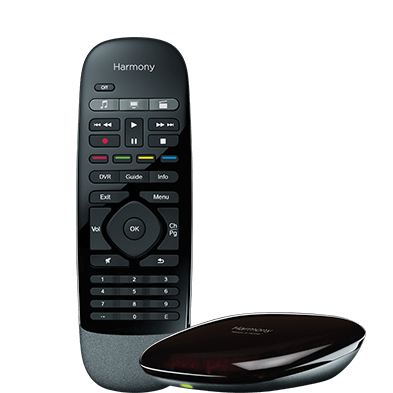
I want to map a few of the buttons on my Harmony remote to control my HUE lights. This can't be done within Harmony's software.
I figured that I can use Tasker on the Shield TV to control the HUE lights, and then map a button on the remote to trigger that Tasker task. The first part was easy - I've installed Tasker and AutoHue and created tasks that control the HUE lights.
But no matter what I do, I can't find a way to map the keys to trigger the tasks in Tasker :(
The Harmony remote is paired to the Shield TV both as a "Shield TV" device and as a PC, which means I have all keyboard keys to choose from.
I've tried "Button Mapper" but no luck; https://play.google.com/store/apps/details?id=flar2.homebutton
It reacts on key presses in the setup and I can chose Tasker tasks as a shortcut. But nothing happens when I press the key. It also breaks the Leanback UI (pressing OK is seen as a long press, and I can no longer open "all apps" by going to the far left).
I've tried AutoInput which is a Tasker plugin, but same story there. It breaks the UI.
Has anyone else tried to do something similar before?
Does anyone know of a button remapper app that works with Android TV 8.0?
Thanks!
does disabling Accessibility Service fixed the issue?