Mi Box S disable 'Mi box recommends' In apps?

by ShawnDex

Anyone know if this is possible on the new Mi Box S.

I'm not talking about the preinstall apps. I'm talking about the recommends apps some sought of advertisement at the bottom of the screen in Apps right now Showtime is on my screen if I click it go to Google store to install.
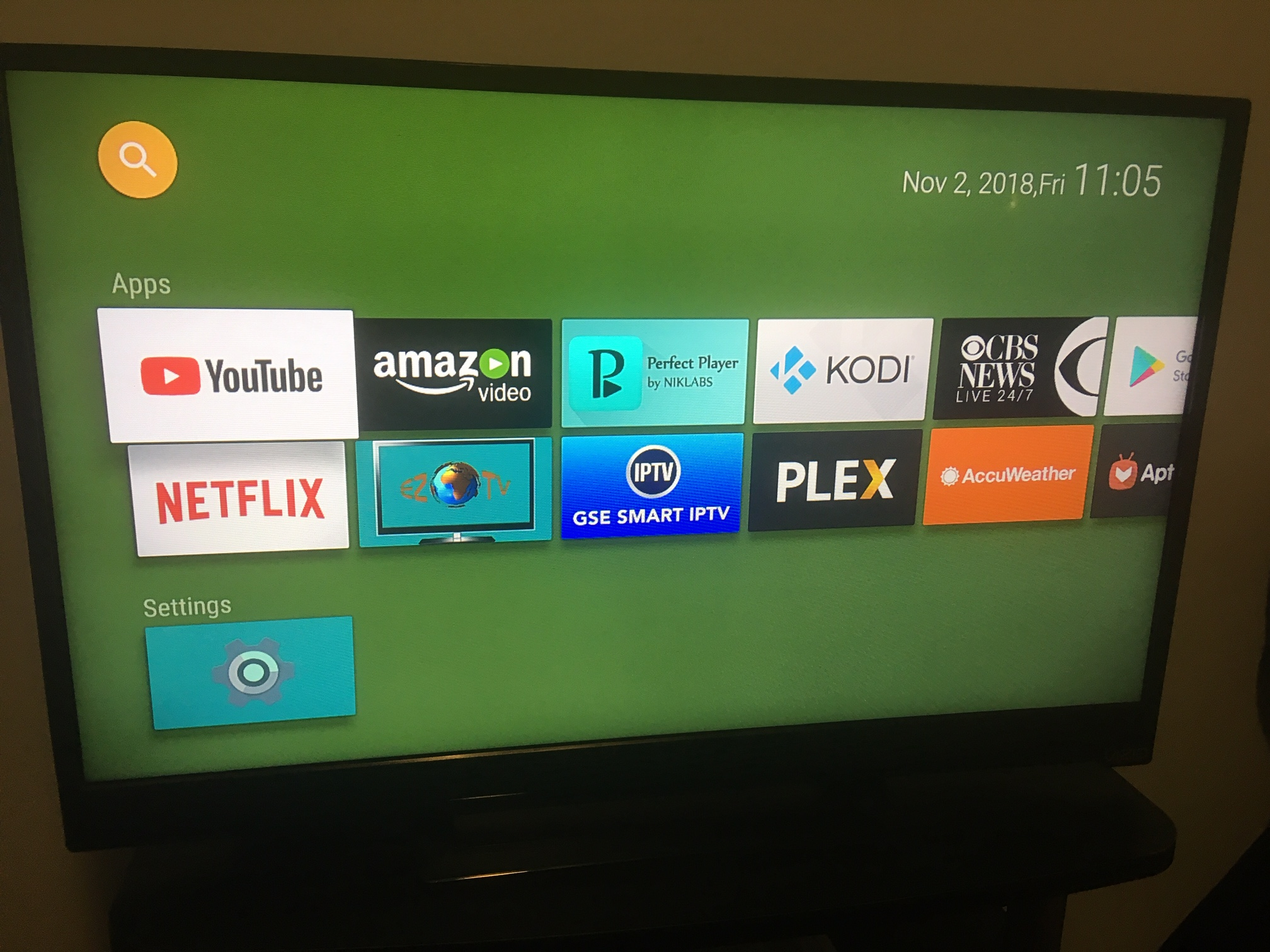
iroQuai

I don't have an mibox S but on the MiBox3 it is possible to remove it by disabling an app called Xiaomi-something. It's usually the last app in the row (at settings-apps)

Ausernameneeded

No, not that I know of. Mi Box disabled the removing of the ads, or "recommendations", with Android 8. I assume the same with Mi Box S.

totodee

One easy workaround is deleting the Leanback Launcher using ADB.exe and replacing it with another launcher. The MiBox Recommends crap will be gone for good. Here is what my MiBox 3 home screen looks like now. I'm running Oreo.

http://musicfromthebluelight.com/mibox.png

Bodycount9

You can always disable those apps but they still wont let you delete.

renmibi

The only recommendation app is Showtime for me. If that's the case for you, just install Showtime and the whole section disappears. You get the icon in your app drawer, but at least you can move it to somewhere less prominent.

mrpickem1

MiBox S has more locks and controls and I will be returning mine

NedSc

Off hand I forget the name, but there's a built-in service that can be disabled that will hide the row, I think. At least, I know what you speak of, and that it can be disabled.

BiggussDikkuss

Trouble is all those stupidly included Apps take up valuable storage space, and they cannot be uninstalled.

For the Mi Box S that is 41% of available storage space before you even install your own Apps:

https://youtu.be/EmCJxywvyvc?t=302