Best secondary Android TV box..?

[deleted]

6 Answers

Force Android TV layout instead of tablet layout (sideloaded apps)?

I've had an issue with several FireTV apps where they seem to think they're either installed on a phone or tablet. Has anyone else experienced this?

Using a "force landscape orientation" app doesn't fix the issue because the interface remains as the tablet or phone layout. Obviously the renders the remote essentially useless because of the incorrect interface.

If anyone has a solution that will allow me to make apps realize they need to run the Android TV layout, I'd really appreciate it!

2 Answers

Mi Box 3, no HDR

I just got a Mi Box 3 and can't seem to get HDR to work. When using my Xbox, ps4, or built in TV apps with HDR content an HDR or Dolby Vision logo pops up in the top right corner. I've yet to see that happen with anything using the mi box - tried Netflix, Google play movies and TV (which is the entire reason I bought it), and YouTube with no luck. Anyone else ever have this problem and know what I'm doing wrong, or did I maybe get a defective one? I've tried all 3 HDMI ports and have switched to using the cables that I use on the PS4 and xbox with no luck. Thanks!

3 Answers

Youtube has a new player UI

The old homescreen and other stuff remains but the player UI has the following changes:

  1. The play/pause button is now round.

  2. There is no previous/next button but a thumbnail of next video below the progress bar.

  3. The closed caption (cc) button is now in player directly (was inside settings). Sadly the video quality selector is still inside settings.

  4. While playing an ad, the video length is at top and skip button is now solid.

  5. The progress bar is more precise and bigger.

By the way mouse navigation works for me since last update so you can skip video to wherever you want.

6 Answers

What are some ways I can completely customize my Android TV to its limits?

I really want to dig in to this thing's full potential. What are some things that can be done on Android TV? No specific topics, just overall customization that isn't "normal".

4 Answers

Shield goes to sleep even though in the preferences I set it to never sleep.

It's not a big deal but I still wonder why this happens. Could there be another setting somewhere that is overriding my sleep preference? Thanks for any help or advice. It's the 16 GB version and it's up to date.

1 Answers

Android TV: After One Year The Mi Box Nougat Update Remains In Beta | Androidheadlines.com

[deleted]

3 Answers

Youtube HDR working on Bravia through google cast!

Just noticed today, youtube can now play hdr videos on sony bravia, i tested a couple of 4k hdr videos and they play smoothly. Can some1 whit a nvidia shield test if if works there too?

4 Answers

New Sony AndroidTV Update (850E)

3 Answers

Will this do the trick? Mostly Terrarium tv and live sports streams

4 Answers

Upgrade to Nvidia Shield or Mi Box?

I currently have a MINIX NEO X8-H that has recently become pretty slow and I'm looking for an upgrade. From my research I understand that the MINIX is running an Android OS while the Shield Pro and Mi Box is running Android TV. I just want to make sure that everything I can run on my MINIX can run on either the Shield or Mi Box.

The things I use my MINIX for

  • Watching anime streams use Google Chrome browser
  • Amazon Prime Video
  • Watching local mpv/mp4 files (10bit) MINIX has issues running it smoothly
  • Watching Youtube
  • Using Kodi 1channel plugins

Given what I do what is the best box to upgrade to?

11 Answers

Picture in Picture on Sony TV Running Android 7.0

OK, so I have a Sony 49x8305c TV running Android Nougat 7.0, freshly updated this week.

Having read that the PiP had been improved I though I'd try it, I've never bothered before because I read it only worked with an analogue or digital input plus an HDMI source, and as we don't have an aerial, I don't have any analogue or digital inputs, only Sky TV through the HDMI.

However, I've just tried this and when I press action and go across to the Twin Picture menu, and press OK, nothing happens and it just goes back to the main TV screen. I had read this might be because my Sky is connected in 4k, so I changed it down to 1080p and tried again but still nothing.

Is there any way of getting this working, and if I do get it working, which other sources would it work with? What I really wanted was to have 2 HDMI sources so I can have TV and PS4, but I gather that's not possible anyway. Would still be good to know what I can do though!

1 Answers

AndroidTV APK: International NBA League Pass

I'm looking for the AndroidTV APK of the international (not the US one!) NBA League Pass app.

Anyone got a backup or download link so that I can side load the app onto my Firetv?

3 Answers

problem with remote

I have miTV4a and mibox3. And remote control from mitv control both of them, how to disable conection with mibox3?

1 Answers

Can no longer watch sports on andriod box

Its seems like the flash driver has stoped working or needs update? What do you use for sports? Something through kodi? R/Nhlstreams I use, but videos are black screen.

5 Answers

Can't shutdown MiBox, only reboot

6 Answers

Mi Box casting stopped working?

It used to work for a loooong time. Then suddenly, it can't be searched by my devices.

Does anyone knows what happened? I uninstalled Google Play Services updates but that didn't do anything.

3 Answers

Mi Box can no longer sideload

(Solved) Hello all. Yesterday I received an update that mentioned fixing a YouTube issue. Now today when I try to sideloaded an app, I am not able to. The install button is greyed out. I all not saying it is definitely because of the update but thought it could be related. I have sideloaded on this same device many times do unsure why it all of a different will not work. Any suggestions?

6 Answers

I can't download the latest update on my Mibox

https://i.imgur.com/wIZNYbP.jpg

Hi all, I noticed that I have a 424.5 MB update on my Mibox but I can't download it. As soon as I get into the System Update menu I see the message you see on the photo. "waiting to download" and that strange "Via 3/14/2028 only until" message. I am on stable 6.0.1 version, build 1304. Any ideas?

6 Answers

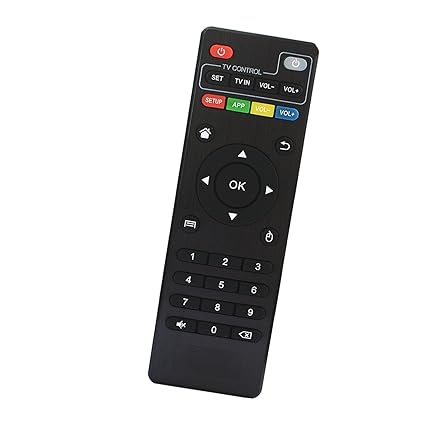
Reprogram MXQ Pro+ remote control buttons.

Hello, i was wondering if there was a way to reprogram the 4 coloured buttons on the top of the MXQ stock remote

I would like to set the yellow TV button to open Perfect Player instead of Kodi.

Thank you.

5 Answers

OPEN LETTER TO NETFLIX RE:DISCRIMINATION AGAINST MDZ-16-AB MiBox

OPEN LETTER TO NETFLIX

Netflix Discriminates against MiBox users with Non HDCP Compliant TVs

First Scenario:

Connect your MiBox to a modern HDCP compliant TV and it will stream Netflix videos flawlessly IN HD (or UHD) with no issues.

Connect your MiBox to a non HDCP compliant TV and it will stream, only for 20 seconds, then Netflix displays a vague, meaningless error message.

No amount of juggling cables, adjusting TV settings, adjusting MiBox settings will resolve this issue.

CONCLUSION:With a non HDCP TV NETFLIX FORCES COMPLETE FAILURE. NO STREAMING PERIOD!!

Second Scenario:

Connect your Roku, Amazon Fire device, AppleTV4, XboxOne or other name brand streaming device to a modern HDCP compliant TV and it will stream Netflix flawlessly IN HD (or UHD) without issue

Connect your Roku, Amazon Fire device, AppleTV4, XboxOne or other name brand streaming device to a non HDCP compliant TV and it will stream, but only at SD resolution, but, at least, it will stream...

NETFLIX, please explain this discrepancy which only affects MiBox.

If and when I get a reply from Netflix, it will be posted in this reddit. Meanwhile..... Rational responses are solicited from this reddit audience.

What do you think Netflix will say?

Read below before you start a stupid rant.....

+++++++++++++++++++++++++++++++++++++++

Author acknowledges the infinitesmal chance of faulty MiBox hardware but there are a HUGE number of tvs that are not HDCP compliant that far outnumber the rarely seen faulty MiBox.

Unless you can prove your TV supports at a minimum HDCP 1.x with confirmation from factory specs or by running another streaming device with HD output, please refrain from cluttering this thread.

You can run another streaming device with the Netflix TEST PATTERN video Season 2 Episode 8 to see if your TV can display beyond SD (720X480) resolution. Netflix will only go past SD resolution if your TV has proper DRM.

5 Answers

4K Newbie - Am I doing this right?

Hi all,

Sorry for my ignorance in advance. I picked up a vizio m65e0, nakamichi 7.1 sound bar, and nvidia shield. I have hdmi connected via the ARC port from soundbar to tv. Shield is connected to the sound bar. This works but something i noticed is the system / menu sounds when navigating shield dont play unless i navigate aggresively. Anything that plays continuous sound seems ok so far. Is this the ideal setup? Should i connect the shield to the tv instead?

4 Answers

Netflix app incredibly slow

I think it's the latest update of the app.. my 6 month of Android TV with Netflix is currently receiving input from my remote control... Very slowly.

After I press a direction on the d pad, I am unable to press it again for about 15 seconds. Of I do, nothing happens on the screen.

This is when I am browsing the movies/shows, not during watching something through the app.

I'd anyone else experiencing this sluggishness?

2 Answers

Have you played flac files from a portable HDD on a Mibox?

Is choppy as hell! Both on Kodi and SPMC.

Fucking piece of shit.

1 Answers

Xiaomi TV Box does not play well 4K movies

Hi guys. I bought Xiaomi TV Box. And it does not play smoothly all 4K movies via USB flash drive. At first I put on USB flash drive 7 promotional 4K movies and on some apps they didn't play well but in MX player 6 of them worked fine. But then I put on this USB flash drive some 10 GB big 4K videos and they didn't work completely smooth. I some apps (VLC, MX player) they played better than in other but there is no good playing in any of those apps. Can I somehow boost the speed and play them smoothly or I should send back this tv box? I tried some settings for boosting speed in those video apps but non of those settings made my videos 100% smoothly.

6 Answers

604 / 885

Back to start